
/PS4
RECOMMENDEDshadPS4 for Windows
A graphical home for your emulator. Manage versions and open your game library from one interface.
PlatformWindows · x64
DownloadWindows distribution
Download for WindowsDirect download for Windows · 64-bit PCGet the Windows download, check your PC requirements, and follow the setup guide.
A graphical home for your emulator. Manage versions and open your game library from one interface.
Use the launcher to manage emulator versions. Here is the Version Manager shown in the shadPS4 project announcement.
Follow the Windows setup guide ↗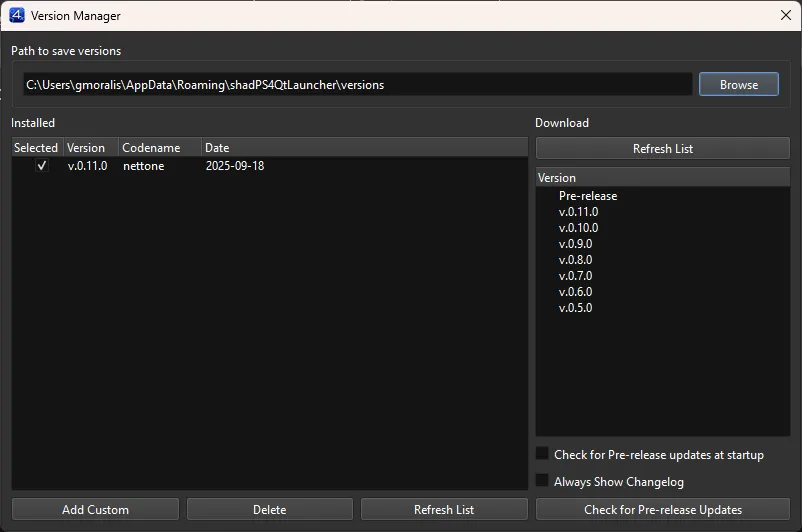
Practical answers for your next step.
This site provides one Windows download entry point. The Download buttons in the header, on the home page, and here use the same destination, so you do not need to choose between different operating systems or navigate a release catalogue.
For the next step, keep the Windows installation guide open. If you have not checked your PC yet, review the minimum system requirements before installing.
In the upstream shadPS4 project, QtLauncher supplies the graphical interface, while the emulator core performs the emulation. The launcher can manage emulator versions. This distinction explains why the interface and core can have different version numbers, and why a screenshot of the launcher does not identify every game result.
When comparing a game report with your own setup, note the emulator version as well as the launcher version.
Follow the setup guide, prepare your own game files, and check compatibility for the title you want to test. The download does not include PS4 games or Sony system files.
If a game does not start, the next useful step is to compare your configuration with its report and the setup instructions. Repeatedly downloading the same package will not resolve an unsupported title or a missing prerequisite.